Pinch
by Fernhart Labs
No reviews yet2 opens
Open on glasses
How to launch
Scan the QR code with your phone or glasses companion app, or paste the link to open Pinch on your display.
https://pinch-cooking.vercel.app/
Requires Meta Ray-Ban Display glasses.
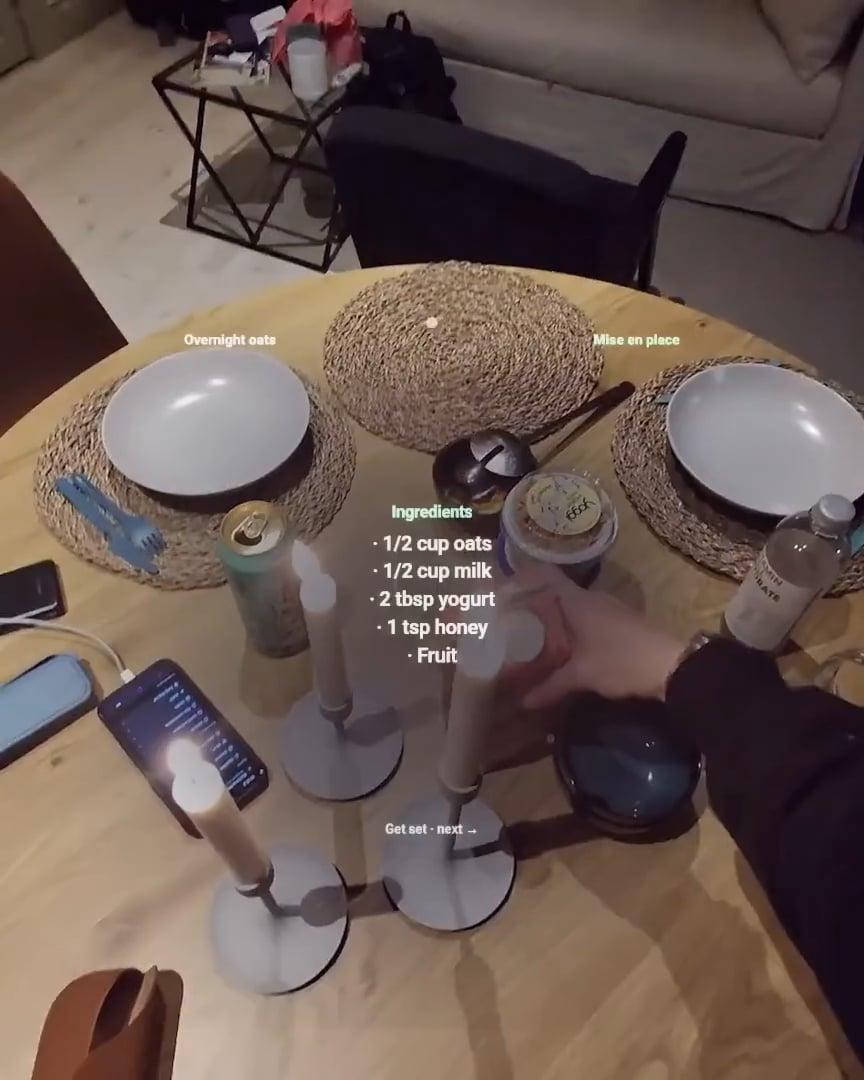
Cook without touching your phone. Pinch shows one recipe step at a time, with the ingredients that step needs, already scaled to your servings. Start the step's timer with a pinch and keep going: several timers can run at once, and Pinch chimes and says "pasta timer is done" when one finishes. Tap Read aloud to hear a step again while your hands are busy.
- 23 recipes, from crêpes and carbonara to chili and banana bread
- Several named timers at once, plus quick presets (eggs, pasta, rice, tea)
- Servings scaling, US or metric units, ingredient checklist
- Saved recipes, and resume where you left off
- Ask Meta AI: "next step", "start a 9 minute pasta timer", "how much flour?"
Built with Meta's UI Toolkit for Ray-Ban Display. Free, no account, nothing leaves your glasses.
Information
- Developer
- Fernhart Labs
- Category
- Productivity
- Version
- 1.0.0
- Updated
- Nov 25, 2026
- Build type
- Web app
- Controls
- Gesture & voice